The Costs and Challenges of Building my AI-Generated Podcast
A retrospective on the process, constraints, and realities of building with voice AI
Picking up where we left off
Welcome again! 👋🏾
If you haven’t already, I recommend reading Part 1 of this series to get a wholistic idea of what I was trying to accomplish when I set out to build Listen Better. That post contains a lot more detail on what exactly I built and what influenced my decisions as I built it. You’re currently reading a reflection on that process, so some of the technical details will still be relevant here.
Here’s a quick refresher: Listen Better is a web app that takes in French audio, translates and explains each sentence in it, and generates a new audio file featuring AI-generated podcast hosts who discuss the translations and explanations.
In this article, I’ll discuss the cost of creating an episode and offer some thoughts on the process of building the app.
Costs, you say? Spill the beans! 👀
Okay okay, I will! As you’ll recall from Part 1, there are 3 sets of services underpinning Listen Better: transcription using Deepgram, translation and explanation using OpenAI’s GPT-5, and audio generation using Google’s Gemini 2.5 Flash TTS. Quick side note, this “Gemini 2.5 Flash TTS” name is so annoying to pronounce and type. For the rest of this post I’ll just call it “G25T”.
The pricing of those 3 services is a mix of per-minute and per-character billing, so presenting the costs in that same manner won’t be particularly insightful here. More so, there’s obviously no fixed size for audio input sourced from all over the internet, there’s no fixed length on this project’s translation and explanation outputs, and consequently no fixed duration on audio output either. Thus, such intuitive anchor points don’t really exist here. For the numbers to make sense, it’s necessary to view them in the context of a unit that’s applicable to this project. That unit will be a “daily” episode.
A daily episode is the longest episode I can generate in one day, which is determined by the rate limits of the Gemini API. Of the 3 rate limit dimensions described on that page, requests per day (RPD) is the one that always blocks my progress 🥺. My account has a limit of 100 RPD, which isn’t bad for the deployed application, but was wayyy too low during development. It was frustrating at first but I had to become stoic about it because, as the saying goes, it eezz what it eezzzz. The daily episode tends be around 90 minutes on average, which is enough to fill my French listening cup on any given day.
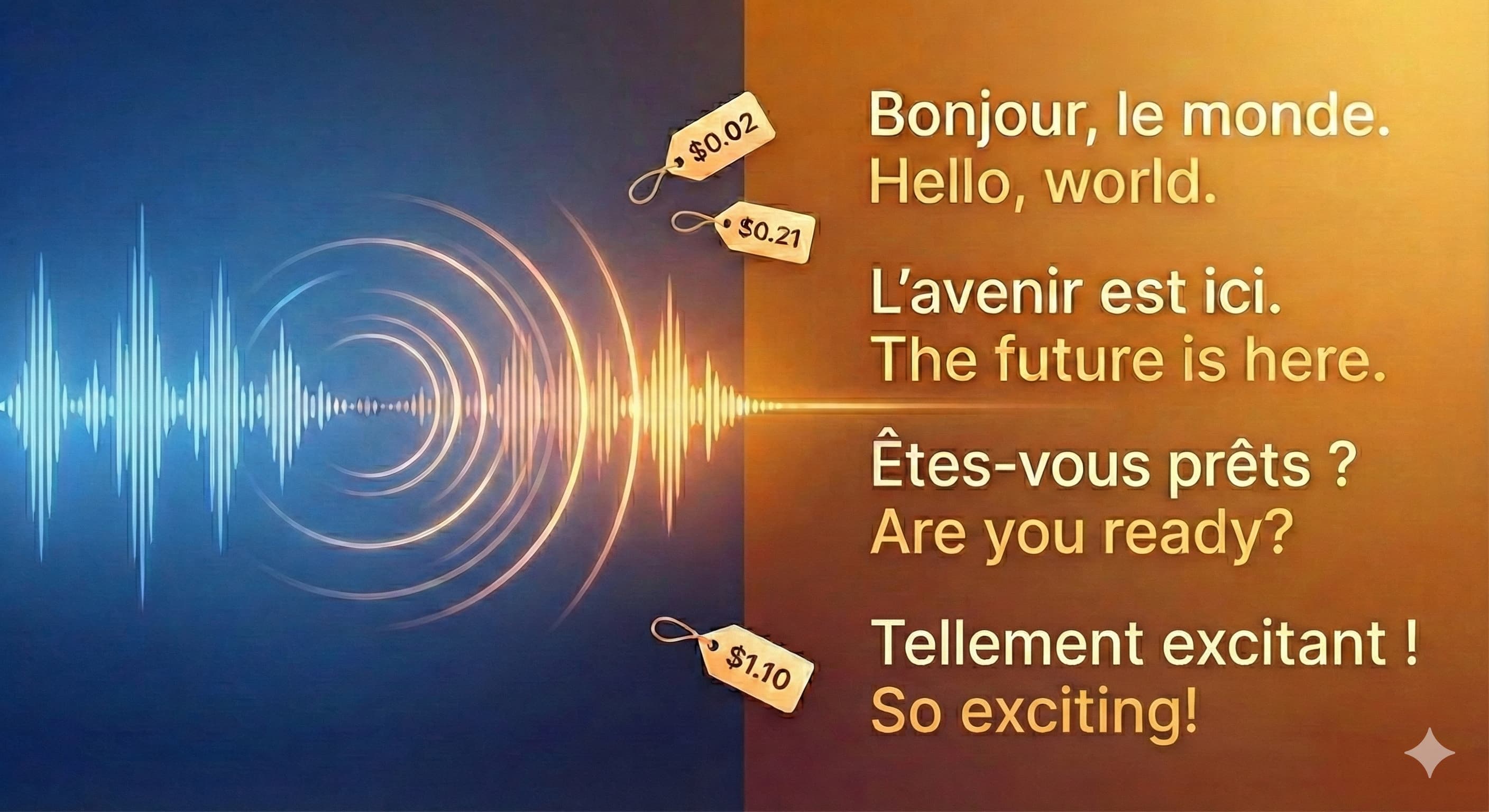
With all that said, what then is the cost of a daily episode? Brace yourself… are you ready… on average, it costs a whopping $1.33! 😄 Does that surprise you? I thought this project would be very pricey so I went into it with the expectation that satisfactory output, whatever it would look like, would cost around $5 a day. So I was pleasantly surprised by that amount, even if it’s still higher than I’d like. You may already be wondering how that number breaks down across the 3 services, so here you go: Deepgram transcription contributes a mercifully insignificant 2 cents 😁, GPT-5 translation + explanation throws in a manageable 21 cents 🙂, whereas Gemini TTS greedily hogs the remaining $1.10 🫠. Frankly, I wasn’t surprised that TTS was the most expensive part, though I did expect the transcription to cost a lot more. To understand why I say that, let’s explore what that money actually buys.
The deployed application generates 3 audio segments for each sentence: an intro, the main translation + explanation, and an outro. 100 RPD therefore means about 33 sentences, though I round that down to 30 to create a little buffer. This number of sentences is a bit misleading because sentences can be long or short. The application actually combines shorter sentences up to a limit of 150 chars, and breaks up longer sentences down to around 200 chars. This strategy keeps the explanation within the 1500-2500 character range as mentioned in Part 1. So the more accurate statement is that the daily episode can contain explanations for about 30 chunks of transcribed French sentences from the original audio, with each chunk containing 150-200 characters of text. In reality, this represents around 260 seconds (~4.3 minutes) of input audio, on average. Knowing that, it makes sense why the transcription costs so little, right? This project simply doesn’t consume a lot of input audio in a single daily episode. If you look at the pricing pages of both the transcription and TTS services, you’ll notice that the Speech-to-Text transcription (pre-recorded, Nova-3 multilingual) costs 4.3 cents per minute of audio input, which is nearly three times more expensive than the TTS service’s 1.5 cents per minute of audio output. Ergo, doing less of the most expensive thing remains a great way to save costs 😀.
Can it be cheaper?
Simple answer: sort of, but the quality of output will almost certainly be worse. My notion of quality is admittedly quite squishy and poorly defined. It’s closer to “I know it when I hear it” than “it hits these benchmarks”. Why? Because the output of this project really is a matter of taste. So if you’re on the hunt for a TTS model to serve your needs, your mileage may indeed vary. Anyways, the cost of TTS is the elephant in the room here, as you just saw. So I’ll focus on that.
Gemini’s Batch API
The Batch API promises a 50% cost reduction for the same quality of output if you’re willing to accept delayed results. That would’ve been terrific here, and I went as far as to build out the logic to use the batch API… only to discover that it’s not supported for the TTS model 😞. Part 1 of this series captured some of the frustrations I experienced when working with the Google model, and this was yet another one. I console myself with the knowledge that I have the code ready to go if they ever decide to support the Batch API on that model.
Other proprietary TTS models
As a category, proprietary models generally gave me better results compared to open-source models. Here’s a list of other proprietary models I considered or tested, and a brief summary of the reasons I didn’t end up choosing them:
Google WaveNet TTS model: Google has a number of legacy TTS models, one of which is the WaveNet model. It’s cheaper than G25T, which is promising. However, if you listen to the audio sample of this model, I suspect you’ll agree with me that it’s a bit too robotic and monotonic for this project. Cheaper? Yes. Better? Nope.
Gemini 2.5 Pro TTS: as the name suggests, this is G25T’s more capable sibling. Great output, sometimes noticeably better than what I got from G25T. However, for double the price, “sometimes” just wasn’t good enough. Cheaper? Nope. Better? Often, but not often enough.
ElevenLabs: their v3 model is particularly impressive, with comparable results to the Gemini models. Sometimes I felt this model’s output was better, other times not. However… look at the pricing page and you’ll see why I didn’t choose this option. The Creator Plan is the cheapest plan with no hard cap on available minutes. It starts at 22 cents per minute, which is 15 times more expensive than G25T! More so, you only enjoy that price for a miserly 100 minutes, which is basically just one daily episode 😂. After 100 minutes, the price rises to 30 cents per minute, so 20x more expensive! 🥵 Even though the higher priced plans have lower unit prices, those unit prices are still many multiples of G25T’s unit price, and they require a volume of spend that I was certainly not going to commit to this project. Oh well, until we meet again, ElevenLabs.
OpenAI models: three of them, to be precise:
gpt-4o-mini-tts,TTSandTTS HD. Onlygpt-4o-mini-ttshas a price that competes with G25T; it costs about the same. The other 2 are more expensive. More importantly, after testing the models in their playground, I felt that G25T gave me better control over emotional expression, and ultimately better output.InWorld TTS models: 2 models,
TTS-1andTTS-1-Max. The first is half the price of G25T, whereas the second costs the same. In terms of output,TTS-1-Maxpredictably had better output thanTTS-1, but not as good as G25T. I wasn’t able to dial in the French pronunciations or emotional expression as consistently as with G25T, so for the same amount of money it just didn’t make sense to use this one. Still good models though, and you can get a sample here.
Open-Source TTS models
I actually started out looking for open-source TTS models because I initially assumed that proprietary models would be too expensive to be worth the bother. As it turns out, open-source TTS models that support French were not as readily available as I expected. For the few that I did find, I either didn’t like their speech output, or didn’t have the hardware to test them. To bridge the hardware gap I considered using an inference provider, but after seeing the number of options to explore, and factoring in the unsatisfactory results from the models that were already accessible to me, I decided to try out proprietary models at that point. As you’ve already seen, I didn’t look back.
Drawbacks of the audio processing strategy
No control over changes to the underlying model
Model providers are always updating their models, and sometimes users have no other option than to accept such changes to keep using those models. After Listen Better first went live, Google published an update to G25T that they said would bring good tidings all across the board: “enhancements” that included “better expressivity”, “precision pacing”, “seamless dialogue”, and “significant improvements” to overall audio quality. Had Christmas 🎅🏾🎁 really come early? The key part was that the update would happen in place, with no action required from me. Crucially, I couldn’t opt out and take the change at my own time. In other words, with no extra effort on my part, everything would just get better overnight. If that sounds too good to be true… yeah, it was too good to be true.
The first problem was that the distinct male and female voices I had chosen started sounding more gender neutral more often, to the point that I wouldn’t even be sure who was speaking sometimes. After a few days I could tell that this was part of a wider issue where the new model now blends the roles and voices of the speakers. A line attributed to one speaker in the dialogue script sometimes gets read by the other speaker in the generated audio. And that’s not even the strangest part: occasionally the active speaker fully transitions from one of my selected voices to the other one literally mid-speech! Voice metamorphosis 😎. This problem was magnified by my usage of speaker names in the dialogue script, because I wanted the speakers to reference themselves by name to make the dialogue sound more natural. However, when Marie speaks a line that’s meant for Clément, and calls out her own name because Clément was scripted to call her by name, the listening ear can’t help but notice the proverbial record scratch. I eventually took out the names because of how annoying this got. At least without the names it just sounds like 2 people speaking alternately 🤷🏾♂️.
The second problem was that the new model would occasionally skip segments of the dialogue script and sometimes add extensive periods of silence in the generated speech. The same markup tags that I had used to introduce natural-sounding pauses between sentences and words seemed to cause the speakers to pause for much longer than expected. Sometimes they would pause for tens of seconds if not minutes, and in some cases, they would stop speaking entirely without reading out the full dialogue script. I ended up adding code to perform an additional check for extended silence on each generated audio file. Whenever more than 10 seconds of silence is detected, the audio gets regenerated. That’s not an ideal solution because extra generations means more money spent. Thankfully the problem is rare enough that this additional cost remains negligible.
All that said, was the update really so bad? Nope, not at all. In fact, with hindsight I can now say the update was good. I do believe the audio quality has improved, as well the model’s adherence to the prompt and script… well, at least when the audio is complete! The real problem was that I didn’t have the option of testing the new model and refining my strategy to take advantage of its strengths in a controlled environment, before pushing it to the deployed application. In a professional setting, that could’ve been a very big problem.
Non-deterministic LLM output
The same script content does not consistently generate the same audio content. Some words get mispronounced, others get swapped for closely-related alternatives, and some are skipped entirely (although without really changing the meaning of the overall sentence). This variability is not necessarily a bad thing because deterministic output can very quickly sound boring and monotonous. However, in this particular project, any word used in the generated speech that wasn’t part of the script is a potential source of misunderstanding for me, the end listener. Thus, script adherence was essential for keeping Listen Better usable. Thankfully, G25T is already quite good at sticking closely to the original script. With a few stern instructions added to the prompt, I have been able to keep the occurrence of unintended variations to a satisfactorily low level.
Transcription inaccuracies
Deepgram can sometimes identify the wrong words in the audio. When I’ve seen this happen, it’s been with words that sound the same but are spelled differently. Normally, the surrounding context would indicate what word was most likely said, and Deepgram generally handles that really well. The real issue here is that solving the problem is challenging unless there’s a preexisting canonical transcript to compare with. Thankfully, I haven’t really needed to solve this issue because of the very high accuracy of the transcriptions. In Listen Better, I’ve only ever noticed this issue twice, as in affecting 2 words, in over 28,000 transcribed words. Yeah, no urgent need to fix that! 🙂
Was the coding process a vibe?
Using coding agents, writing the code was as doable as any typical web-based project is these days. For the most part I accepted the UI choices of the coding agents (with some refinements, of course) because UI design is not one of my strengths. It would be accurate to say that a combination of Cursor, Codex, and Claude Code built the vast majority of the app! 😄 This doesn’t mean I handed over completely in the way that the “vibe coding” term suggests. I’ve been a developer for some years so I find it difficult to accept autogenerated code without building up the confidence that I know what it’s doing and not doing. So even though most of the code was written by coding agents, I set the direction and performed course correction by constantly reviewing and refining the outputs throughout the process.
Estimating the time I spent building Listen Better is tricky. It was not a full-time commitment, and I didn’t build from a pre-defined product specification. Nevertheless, if I could squash all the time together, I would estimate that it took me a month of full-time work to go from initial exploration to the current web app that I use daily. A big chunk of that time was spent learning a few new things, most notably TTS, RSS, agentic coding workflows, and self-hosting. I was also simultaneously making product and engineering decisions, some of which came more naturally to me than others, and most of which I didn’t bother about until after I started getting results from the TTS pipeline. Essentially, I created a working TTS pipeline then bolted a UI and RSS integration on top! 😆 Knowing what I know now, if the UI, product behavior, and TTS strategy are all specified in detail in advance, I believe a developer skilled at using coding agents can recreate the app in no more than 3 days of full-time work. That includes code review, refinement and testing, and a number of admin features not visible to regular users.
What was the biggest bottleneck I faced?
Simply put, wrangling the TTS models to get my desired output. Right from my earliest explorations of the concept for Listen Better, the first and most important signal to judge was the quality of generated audio output. My ideal TTS model would need to fluidly handle multilingual speech, support multispeaker audio generation, and provide tools for tweaking the tone and energy of the speakers according to my preferences. To properly assess how well a given model fit my objectives, I needed to spend some time prompting and prodding it until I felt confident of what its “best” output could be, even if I hadn’t yet gotten that level of output. This prompting and prodding exercise involved:
doing a lot of good old “prompt engineering”
changing the code continuously to match model features and APIs
exploring the effects of controlling tone and emotion on the final output
trying different tactics to
ensure words in each language were pronounced appropriately
maintain the prosody (meaning rhythm and intonation) of speakers across multiple generation attempts when hitting character limits
get the most natural-sounding dialogue, either by generating each speaker’s portion independently then stitching them together, or, if available, using the model’s built-in dialogue generation capabilities
This exploration looked a bit different for each model, and there’s no standard API or feature set for TTS generation. Overall, the process was much longer than I expected going in. It left me with the feeling that we’re still very much in the earliest innings of what can broadly be called voice AI, despite the outputs already sounding so good in some cases.
Rounding up
Listen Better was borne out of a very personal desire to improve my listening comprehension in a foreign language. Has this project been enough to fill that need? No, though it’s certainly been helpful. My vocabulary has grown faster than before I started using it. More so, hearing French words and expressions repeatedly from different audio sources has been reinforcing them in my subconscious in a way that I would not have managed unless I moved to France! Or some other French-speaking region. For now, the face twitch I mentioned in Part 1 hasn’t gone away 😄. Word by word, sentence by sentence, and in combination with other learning efforts, I’m optimistic that it will.
Beyond the language learning outcome, this project reacquainted me with today’s reality that long-form AI-generated content can only be created in small chunks that add up to a whole, often seconds or at best minutes at a time. In my case I had to stick to strict character limits then combine audio segments into full episodes. Input and output limits are not going away anytime soon, so learning to effectively work with them remains necessary.
And with that, I say a big « merci ! » to you for reading this post. Until next time! 👋🏾
Questions? Feedback? Nice words, or mean ones? Feel free to reach out to @CodeWithOz on all the socials, or on LinkedIn.